Executive Summary
- Cloud hosting utilizes virtualization layers to abstract physical hardware into scalable pools of compute, memory, and storage resources.
- High availability is achieved through distributed clusters, ensuring that WordPress instances remain online even during localized hardware failures.
- Dynamic resource allocation allows for vertical and horizontal scaling, directly addressing traffic volatility without manual hardware intervention.
What is Cloud Hosting?
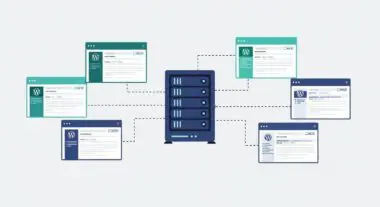
Cloud hosting is a sophisticated infrastructure model where web applications, such as WordPress, are hosted on a virtualized network of physical servers rather than a single, isolated machine. This architecture relies on a virtualization layer, often managed by a hypervisor (like KVM, Xen, or VMware), which partitions physical hardware into multiple Virtual Machines (VMs). Unlike traditional VPS or dedicated hosting, cloud hosting draws resources from a massive pool of interconnected hardware, often referred to as a cluster. This ensures that compute power, RAM, and storage are not limited by the constraints of a single physical chassis.
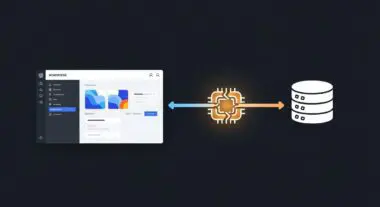
In the context of enterprise WordPress environments, cloud hosting provides a redundant framework where data is typically mirrored across multiple storage nodes (SAN or distributed block storage). This redundancy is critical for maintaining uptime; if one physical node in the cluster fails, the virtual instance can be migrated or restarted on another healthy node within seconds. Furthermore, cloud hosting environments often utilize software-defined networking (SDN) to manage traffic flow, security groups, and load balancing, providing a level of infrastructure flexibility that is impossible with legacy hosting models.
The Real-World Analogy
To understand cloud hosting, consider the evolution of the municipal power grid. In the early days of electricity, a factory might have owned its own dedicated generator. If that generator broke down, the factory stopped running. If the factory needed more power than the generator could produce, it was simply out of luck until a larger unit was purchased and installed. This is analogous to a traditional dedicated server. Cloud hosting, by contrast, is like the modern electrical grid. Your business plugs into a vast network of power plants. If one power plant goes offline for maintenance, the grid automatically reroutes electricity from other plants to ensure your lights stay on. If you suddenly need to power a massive new assembly line, you simply draw more current from the grid and pay for what you use. You do not need to build a new power plant; the infrastructure is already there, distributed and ready to scale.
How Cloud Hosting Impacts Server Performance & Speed Engineering?
Cloud hosting fundamentally alters the performance profile of a WordPress site by decoupling the software environment from physical hardware limitations. One of the primary impacts is on Time to First Byte (TTFB). By utilizing high-performance cloud instances with NVMe-based block storage and high-frequency CPUs, the server can process PHP scripts and execute MySQL queries with significantly lower latency than traditional spinning-disk or over-provisioned shared environments.
Furthermore, cloud hosting enables advanced speed engineering through horizontal scaling. In a traditional setup, a sudden surge in traffic would saturate the CPU and RAM, leading to 504 Gateway Timeout errors. In a cloud-native WordPress architecture, an orchestrator can detect increased load and automatically spin up additional web server instances behind a load balancer. This ensures that the compute load is distributed, maintaining consistent render-blocking resource optimization and fast page load times even under heavy concurrent user stress. Additionally, the proximity of cloud data centers to major internet exchange points (IXPs) reduces network latency, ensuring that the initial handshake between the client browser and the server is as efficient as possible.
Best Practices & Implementation
- Implement Auto-Scaling Policies: Configure your cloud environment to automatically adjust resources based on real-time metrics such as CPU utilization or memory pressure to handle traffic spikes without manual intervention.
- Utilize Managed Database Services: Instead of running MySQL on the same instance as your web server, use a managed cloud database service (like Amazon RDS or Google Cloud SQL) to offload database processing and improve query performance.
- Leverage Object Storage for Media: Offload the WordPress /uploads/ directory to a cloud object storage service (like S3) and serve it via a CDN to reduce the load on the primary web server and improve global asset delivery speeds.
- Isolate Environments: Use separate cloud instances for staging and production to ensure that resource-heavy testing or development tasks do not impact the performance of the live site.
Common Mistakes to Avoid
A frequent error among digital agencies is the failure to monitor data egress costs. While cloud hosting offers immense scalability, the cost of data leaving the cloud network can escalate quickly if not managed through a Content Delivery Network (CDN). Another common mistake is over-provisioning instances; many administrators select high-tier plans “just in case,” leading to significant financial waste. Instead, technical teams should rely on the cloud’s inherent elasticity to scale up only when metrics justify the increase. Finally, ignoring multi-region backups is a critical oversight; while the cloud is redundant, a regional outage can still take down a site if a cross-region disaster recovery plan is not in place.
Conclusion
Cloud hosting represents the pinnacle of modern WordPress infrastructure, offering unparalleled scalability, redundancy, and performance through resource virtualization. By moving away from static hardware, developers can build high-availability environments that adapt dynamically to the demands of enterprise-level traffic.