Key Points
- Directive Enforcement: Google Discover strictly requires the max-image-preview:large robots meta tag alongside a primary image of at least 1,200px in width to qualify for visual distribution.
- Crawler Accessibility: Server-side security layers and CDN hotlink protections frequently misidentify Googlebot-Image, resulting in 403 Forbidden errors that block asset rendering.
- DOM Rendering Optimization: Asynchronous JavaScript lazy-loading mechanisms must exclude above-the-fold featured images to ensure the Web Rendering Service detects the asset during the initial crawl phase.
Table of Contents
The Core Conflict: Visual Data Disconnect
According to data from Google Search Central, sites that utilize high-resolution images (at least 1,200 px wide) in their content experience a 33% increase in click-through rate (CTR) and a significant boost in Discover eligibility compared to those using smaller assets. However, a sudden ‘Missing image’ error in Google Search Console (GSC) indicates a critical failure in meeting this Discover requirement for high-resolution images.
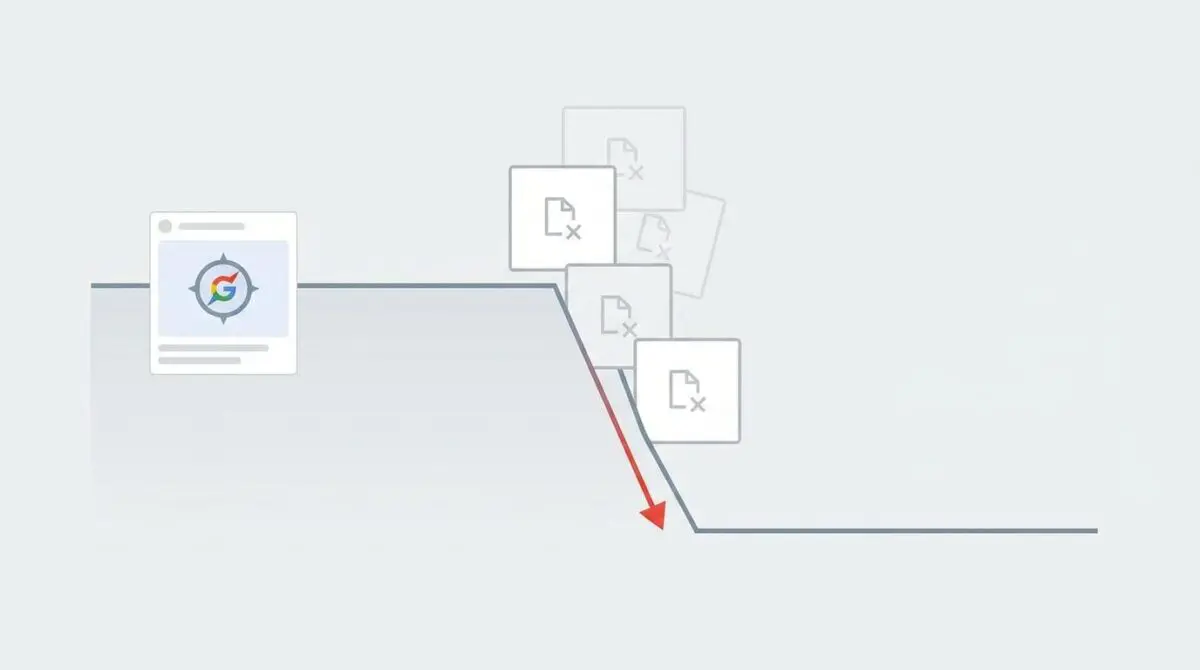
When Google’s Web Rendering Service (WRS) or Googlebot-Image cannot detect a qualified asset, the URL is instantly disqualified from the visual distribution layer. This triggers a vertical cliff-drop in Google Discover traffic, reducing visibility to zero. The page must include an image at least 1,200 px wide alongside the max-image-preview:large robots directive.
From a Generative Engine Optimization (GEO) and crawl budget perspective, this failure is catastrophic. Googlebot-Image allocates heavy resources to fetch high-res visual assets. When server constraints or metadata omissions block these requests, AI-driven engines deprioritize the site, effectively removing it from the visual-first search landscape.
This disconnect occurs because the standard indexing pipeline operates independently from the Discovery engine’s visual distribution layer. While your HTML text may return a 200 OK status and index perfectly, the visual payload fails to clear the secondary validation checks required for feed inclusion.
Diagnostic Checkpoints and Root Causes
This error is rarely a simple missing file; it is usually a desynchronization within your technical stack. The issue often spans across the server layer, edge caching mechanisms, or WordPress application configurations.
Diagnostic Checkpoints
Missing max-image-preview:large Directive
Google requires explicit meta-tag permission for high-resolution image previews.
Image Dimension Threshold Violation
Google Discover strictly enforces 1,200px minimum width for images.
Asynchronous JS Lazy Loading Conflicts
JavaScript lazy-loaders can hide images from Googlebot initial rendering.
Hotlink Protection & Bot Management
Security layers often misidentify and block Googlebot-Image crawler requests.
Server and Edge Layer Conflicts
Security layers at the server or CDN level, such as NGINX or Cloudflare, frequently misidentify Googlebot-Image as a malicious scraping bot. If hotlink protection is enabled without strict user-agent whitelisting, the image request is blocked at the edge.
This results in the image returning a 403 Forbidden or 404 Not Found status code, while the parent HTML document successfully returns a 200 OK. This creates a ghost asset state where the crawler parses the image tag in the DOM but cannot fetch the actual payload required for Discover validation.
Application and Rendering Failures
At the application level, SEO plugins may fail to inject the required max-image-preview:large directive due to missing wp_head() hooks in custom theme architectures. Without this explicit permission, Google defaults to a thumbnail-only display.
Furthermore, JavaScript-based lazy loading can hide primary images from Googlebot’s initial rendering pass. Understanding the impact of lazy loading above-the-fold images on SEO is critical, as execution timeouts will cause the headless browser to skip the asset entirely if it does not render within the allocated crawl budget.
The Engineering Resolution
Restoring visual entity integrity requires a systematic approach to asset delivery, metadata configuration, and crawler accessibility.
Engineering Resolution Roadmap
Inject max-image-preview Directive
Add the following code to your theme’s functions.php to ensure the robots directive is present site-wide: add_filter( ‘wp_robots’, ‘wp_robots_max_image_preview_large’ );
Verify Image Dimensions and Schema
Ensure the ‘Primary Image’ defined in the JSON-LD Article/NewsArticle schema is the 1200px+ version. Use the ‘ImageObject’ property in the Schema output to explicitly define ‘width’ and ‘height’.
Configure Robots.txt for Image Access
Audit the robots.txt file to ensure Googlebot-Image is not disallowed from the /wp-content/uploads/ directory. Use the syntax: User-agent: Googlebot-Image \n Allow: /wp-content/uploads/
Flush Edge and Object Caching
Clear the Cloudflare/CDN cache and any persistent object cache (Redis/Memcached) to ensure the new meta tags and image attributes are served immediately to Google’s crawler.
The resolution roadmap focuses on explicitly defining high-resolution assets and ensuring unhindered crawler access through your infrastructure. You must verify that the primary image defined in your JSON-LD Schema explicitly matches the 1200px minimum width requirement.
Reviewing the Google Discover image dimension requirements ensures your ImageObject schema properties are perfectly aligned with crawler expectations. The schema must output absolute URLs pointing to the uncompressed asset, complete with accurate width and height integers.
Additionally, auditing your robots.txt file guarantees that Googlebot-Image has unrestricted access to the /wp-content/uploads/ directory. A single misplaced disallow rule at the root level can override all application-level optimization efforts.
Executing the Fix via Functions.php
To ensure explicit meta-tag permission is granted across all single post types, you must inject the max-image-preview directive directly into the WordPress core via the theme’s functions file.
This methodology bypasses potential plugin conflicts and guarantees the directive is present in the DOM before the Web Rendering Service begins its parsing phase. It forces the output into the HTTP headers and the document head synchronously.
function add_discover_high_res_robots_tag( $robots ) { if ( is_single() ) { $robots['max-image-preview'] = 'large'; } return $robots; } add_filter( 'wp_robots', 'add_discover_high_res_robots_tag' );Once this snippet is deployed, you must flush all edge caching, including Cloudflare and any persistent object caches like Redis or Memcached. This forces the CDN to serve the updated HTML headers immediately to Google’s crawling nodes, clearing any stale cache hits.
Validation Protocol and Edge Cases
Implementing the fix is only the first step; verifying the server response and rendering pipeline is mandatory to confirm the resolution.
Validation Protocol
- Run GSC URL Inspection Live Test to verify image rendering in screenshot.
- Inspect Live Test HTML for the max-image-preview:large robots string.
- Execute cURL with Googlebot-Image User-Agent to confirm 200 OK image response.
- Use Rich Result Test to validate Schema.org ImageObject resolution mapping.
Even with perfect code execution, edge cases can disrupt the crawler handshake. A rare but critical conflict occurs when utilizing Cloudflare’s Polish or Mirage features with WebP conversion enabled on the edge worker.
If the edge worker compresses the image without accurately updating the content-length or metadata headers, Googlebot-Image may perceive the file as corrupted during the verification handshake. This mismatch is a highly documented contributor to Google Discover traffic drop factors, even when the image loads perfectly in a standard user browser.
Autonomous Monitoring and Prevention
Preventing future Discover drop-offs requires shifting from reactive troubleshooting to proactive entity monitoring. Implementing a pre-publish checklist that validates the 1,200px minimum width requirement is a foundational step for content teams.
For enterprise environments, Andres SEO Expert recommends deploying automated server log analysis tools to detect 4xx error spikes specific to the Googlebot-Image User-Agent. Integrating these alerts via Make.com pipelines ensures immediate notification when edge security rules inadvertently block crawler access.
Furthermore, utilizing a CI/CD pipeline to test the presence of the max-image-preview:large tag on all new content types guarantees structural consistency. This level of automation protects your visual assets and maintains uninterrupted Discover visibility across massive site architectures.
Conclusion
Resolving the ‘Missing image’ error demands a rigorous alignment of server configurations, edge caching rules, and application-level metadata. By explicitly defining high-resolution assets and safeguarding crawler access, you restore the critical visual data pipeline required by Google Discover.
Navigating the intersection of technical SEO, server architecture, and generative search requires a precise roadmap. If you need to future-proof your enterprise stack, resolve deep-level crawl anomalies, or implement AI-driven SEO automation, connect with Andres at Andres SEO Expert.