Executive Summary
- Centralizes the deployment of third-party tracking scripts and marketing pixels through a unified container, reducing dependency on manual source code modifications.
- Facilitates advanced data collection via the Data Layer, a structured JSON object that ensures data consistency across various analytics and advertising platforms.
- Supports server-side tagging architectures to enhance website performance, mitigate the impact of ad-blockers, and improve data privacy compliance.
What is Google Tag Manager?
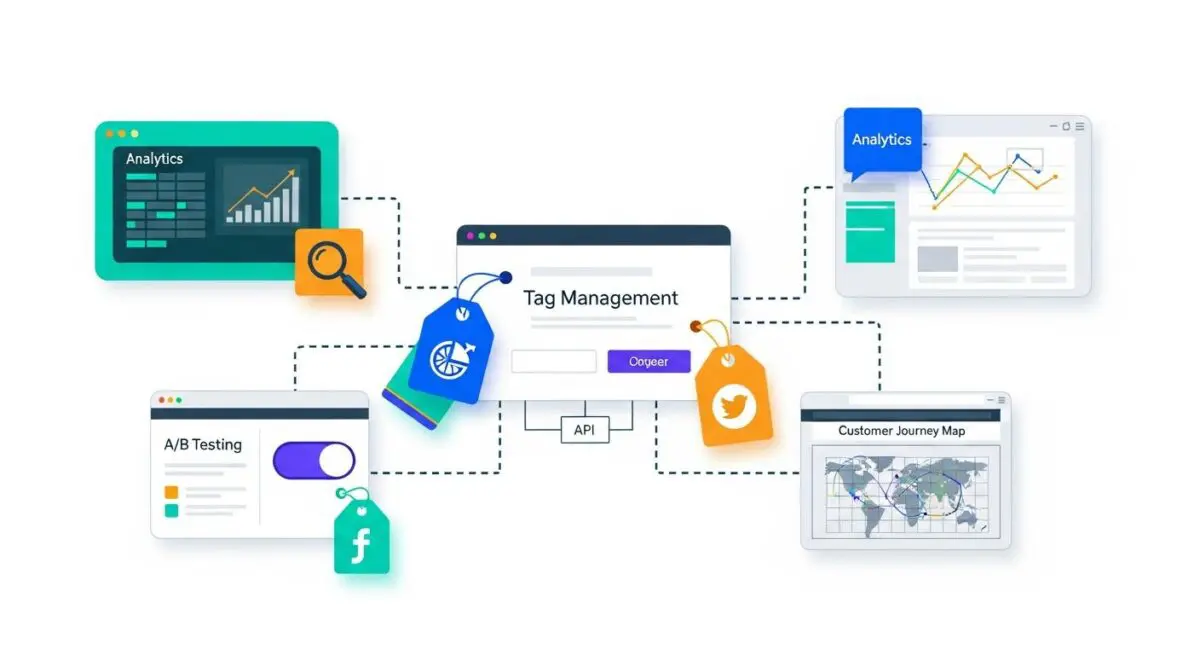
Google Tag Manager (GTM) is a sophisticated Tag Management System (TMS) that allows marketing and data engineering teams to deploy and manage various tracking snippets, or tags, without directly altering the underlying website or mobile application code. At its core, GTM functions as a middle-layer orchestration engine that sits between the user interface and the data collection endpoints. By utilizing a single container snippet, GTM enables the asynchronous loading of multiple scripts, which significantly optimizes Document Object Model (DOM) rendering and reduces the latency associated with synchronous script execution.
Within a modern MarTech stack, Google Tag Manager serves as the primary conduit for data flow. It operates through a hierarchical structure consisting of tags (the tracking scripts), triggers (the conditions under which tags fire), and variables (the dynamic values used in tags and triggers). This architecture allows for granular control over data collection, enabling professionals to capture specific user interactions such as scroll depth, video engagement, form submissions, and e-commerce transactions. Furthermore, GTM is integral to the implementation of Google Analytics 4 (GA4), providing the necessary infrastructure to map event-based data models to business-critical Key Performance Indicators (KPIs).
From a technical SEO and Search Engine Optimization (SEO) perspective, GTM is a double-edged sword. While it streamlines the deployment of schema markup and tracking pixels, improper implementation can lead to excessive JavaScript execution, negatively impacting Core Web Vitals such as Largest Contentful Paint (LCP) and Total Blocking Time (TBT). Therefore, an enterprise-level GTM strategy must prioritize script efficiency, utilizing built-in features like tag sequencing and firing priorities to ensure that critical page elements load before non-essential tracking scripts.
The Real-World Analogy
To understand Google Tag Manager, imagine a high-end, centralized smart-home control system. Instead of having to walk to every individual room to manually flip a light switch, adjust the thermostat, or arm the security alarm, you have a single touch-screen interface in the kitchen. This interface (the GTM Container) is connected to every device in the house. When you want to change how the lights behave (adding a new tracking tag), you don’t need to tear open the walls to rewire the electrical system (editing the website’s source code). You simply update the settings on the central panel. The system knows that when the front door opens (a trigger), it should turn on the hallway light and send a notification to your phone (the tags). This centralized control ensures that all devices work in harmony, reduces the risk of electrical errors, and allows for rapid updates without calling an electrician every time you want to add a new sensor.
How Google Tag Manager Impacts Marketing ROI & Data Attribution?
Google Tag Manager directly influences Marketing Return on Investment (ROI) by enhancing the accuracy and granularity of data attribution. In a fragmented digital landscape, understanding the customer journey across multiple touchpoints is essential. GTM allows for the implementation of sophisticated cross-domain tracking and user identification, which are critical for multi-touch attribution models. By ensuring that conversion data is captured accurately and sent to platforms like Google Ads, Meta, and LinkedIn in real-time, GTM enables automated bidding algorithms to optimize for high-value users, thereby lowering the Customer Acquisition Cost (CAC).
Moreover, the shift toward server-side tagging within GTM represents a paradigm shift in data integrity. Traditional client-side tagging is increasingly hampered by browser-based privacy restrictions (like Apple’s ITP) and ad-blocking software. Server-side GTM moves the data processing from the user’s browser to a secure, first-party cloud environment. This not only improves page load speeds by offloading JavaScript execution but also allows for data enrichment and sanitization before it reaches third-party vendors. This level of control ensures that the data used for attribution is clean, compliant with GDPR/CCPA, and resilient against the deprecation of third-party cookies, ultimately leading to more informed strategic decision-making and higher Lifetime Value (LTV) modeling accuracy.
Strategic Implementation & Best Practices
- Leverage the Data Layer: Always use a standardized Data Layer (window.dataLayer) to pass information from the website to GTM. Avoid DOM scraping, as it is fragile and prone to breaking when the site’s UI changes. A structured Data Layer ensures that variables like product IDs, transaction values, and user types remain consistent.
- Implement a Strict Naming Convention: For enterprise-level containers, adopt a clear naming syntax (e.g., [Platform] – [Tag Type] – [Description]). This prevents confusion, simplifies auditing, and ensures that multiple team members can manage the container without creating redundant or conflicting tags.
- Utilize Environments and Workspaces: Never publish changes directly to production without testing. Use GTM’s ‘Environments’ feature to deploy tags in staging or development areas first. Combined with ‘Workspaces’, this allows for concurrent development by different teams without overwriting each other’s configurations.
- Audit and Prune Regularly: Tag bloat is a significant performance killer. Conduct quarterly audits to identify and remove legacy tags from defunct campaigns or vendors. Use the ‘Tag Coverage’ tool to ensure all critical pages are being tracked correctly.
Common Pitfalls & Strategic Mistakes
One of the most frequent errors in enterprise GTM management is the lack of documentation and version control. Without a clear ‘Tagging Plan’ or ‘Measurement Protocol’, containers often become cluttered with ‘ghost tags’ that fire unnecessarily, increasing the page weight and potentially leaking sensitive user data to third parties. Another critical mistake is the over-reliance on custom HTML tags. While powerful, custom HTML tags bypass GTM’s built-in security and optimization features; whenever possible, use native templates or community-developed templates that have been vetted for performance.
Furthermore, many organizations fail to account for ‘Race Conditions’—situations where a tag attempts to fire before the necessary data is available in the Data Layer. This leads to incomplete data and skewed attribution. Ensuring that tags are triggered by specific Data Layer events rather than generic page loads is essential for maintaining data high-fidelity in an AI-driven marketing environment.
Conclusion
Google Tag Manager is the foundational architecture for modern, data-driven marketing, providing the agility and technical precision required to manage complex data ecosystems. By centralizing tag deployment and embracing server-side capabilities, organizations can ensure data integrity, improve site performance, and drive superior marketing ROI.