Key Points
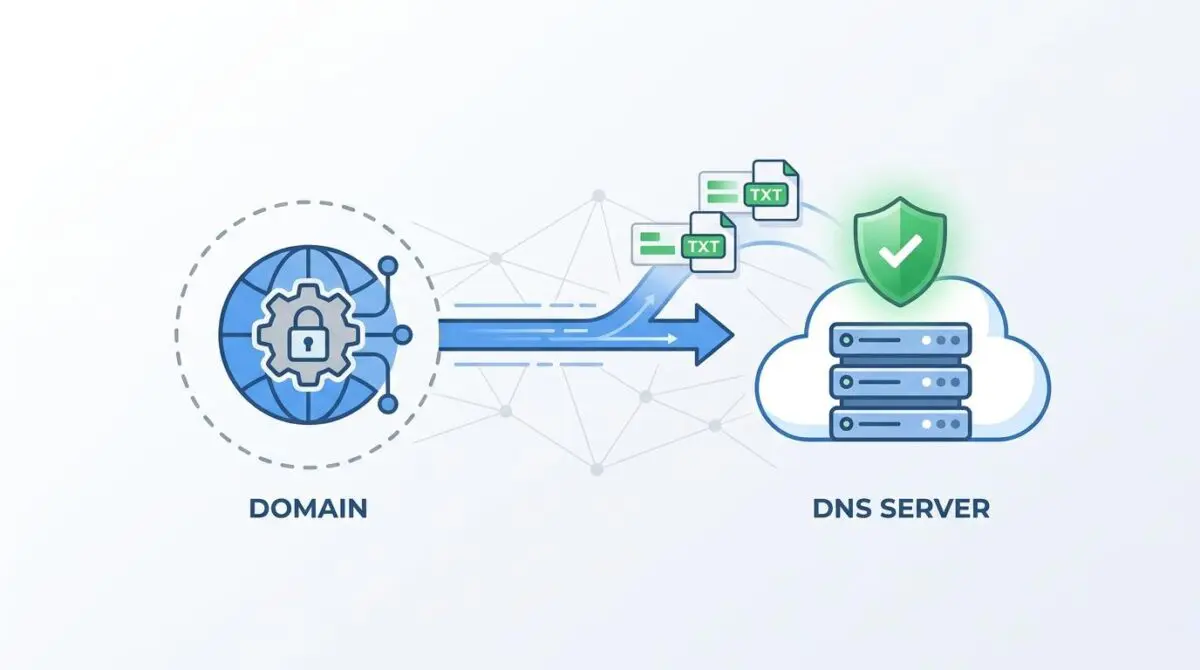
- Cloudflare’s proxy (Orange Cloud) and CNAME flattening can intercept and delay DNS TXT record propagation, causing Google Search Console verification timeouts.
- Temporarily disabling the proxy and reducing the TTL to 2 minutes forces rapid global propagation across nameservers for immediate Googlebot validation.
- Automating DNS verification checks via CLI utilities or PHP scripts ensures permanent domain property access and protects vital crawl budget allocation.
Table of Contents
The Core Conflict: DNS Verification and Crawl Budget
According to technical documentation from Google Search Central, DNS propagation can take up to 48 hours; however, a recent technical SEO study by Ahrefs indicates that 92% of DNS TXT records propagate globally within 90 minutes when the TTL is set to 3600 seconds or less. Despite this rapid propagation baseline, a DNS TXT Record Verification Failure remains a persistent bottleneck for domain property validation in Google Search Console (GSC). This failure occurs when GSC cannot retrieve the specific verification string from the domain’s DNS zone.
This handshake is the foundational layer for technical SEO architecture. It grants site owners access to comprehensive data across all protocols and subdomains. When verification fails, engineering teams lose critical indexing status reports and search performance data. They also lose the ability to submit XML sitemaps directly to the indexer.
From a Crawl Budget and Generative Engine Optimization (GEO) perspective, an unverified domain property is catastrophic. It prevents the use of the URL Inspection API and the manual Request Indexing feature. These tools are absolutely vital for ensuring Generative AI models train on the most recent version of your content.
Without this verification, the link between the server and Google’s rendering engine is severed. This causes delayed discovery of new pages and severe inconsistencies in how the site is represented in LLM-based search results. Resolving this requires a deep understanding of how edge networks handle DNS queries.
Diagnostic Checkpoints for DNS Desynchronization
This error is rarely a simple typographical mistake. It is usually a complex desynchronization within the routing stack or edge cache. Google Search Console will simply return a red verification failed error message stating it could not find the TXT record.
Diagnostic Checkpoints
Cloudflare Proxy (Orange Cloud) Interference
Proxied records may fail to propagate TXT records instantly.
DNSSEC Key Mismatch
Mismatched DS records cause unauthenticated DNS response failures.
CNAME Flattening at Apex
Flattening can cause inconsistent TXT query responses at root.
TTL (Time To Live) Propagation Lag
High TTL values cause GSC to read cached zones.
Querying the DNS via CLI often returns an empty result or a cached value that mismatches the GSC string. In Cloudflare’s dashboard, the record may look perfectly configured. However, external DNS checkers like Google Public DNS or OpenDNS fail to resolve the record entirely.
This discrepancy points to interference at the Edge layer. When migrating a WordPress site from a host with built-in DNSSEC to a standalone Cloudflare setup, failing to update the registrar’s DS records is fatal. Google’s strict DNS resolvers will flag the response as unauthenticated, resulting in a hard failure during the TXT record check.
Additionally, Cloudflare’s CNAME flattening allows CNAME records at the root domain, breaking traditional RFC rules. This dynamic resolution can cause the DNS server to provide inconsistent responses for TXT queries. Depending on how Google’s bot structures the lookup, it might receive the flattened A record instead of the required TXT string.
Engineering Resolution Roadmap
Bypassing the Cloudflare proxy is the most effective way to force a direct DNS query path for Googlebot. By toggling the proxy status, you remove the edge cache from the equation. This allows Google’s resolver to read directly from the authoritative nameserver.
Engineering Resolution Roadmap
Disable Cloudflare Proxy (Grey Cloud)
Navigate to the Cloudflare DNS tab. Locate the A or CNAME record for the root domain (@). Toggle the ‘Proxy status’ from ‘Proxied’ (Orange) to ‘DNS Only’ (Grey). This bypasses the Cloudflare edge for DNS resolution during the verification window.
Set TTL to 2 Minutes
In the Cloudflare DNS settings, edit the TXT record containing the ‘google-site-verification’ string. Change the TTL from ‘Auto’ to ‘2 minutes’ to force rapid propagation across global nameservers.
Purge Cloudflare DNS Cache
Use the Cloudflare ‘Purge Cache’ tool in the Caching > Configuration tab and select ‘Purge Everything’. Additionally, use the 1.1.1.1 Purge Tool (Cloudflare’s public DNS purger) to clear the specific TXT record for your domain.
Trigger GSC Manual Verification
Return to Google Search Console and click ‘Verify’. If it fails, wait 5 minutes and retry. Once verified, you can toggle the Cloudflare Proxy back to ‘Orange Cloud’ status.
Adjusting the TTL to 2 minutes accelerates this propagation process significantly. A high TTL instructs global resolvers to hold onto stale data, which is detrimental during a strict verification window. Forcing a low TTL ensures that Googlebot receives the most current DNS zone file.
Purging the Cloudflare cache ensures no residual configurations block the propagation path. WordPress environments utilizing Cloudflare’s Automatic Platform Optimization (APO) face unique challenges here. APO aggressively caches edge configurations, which can inadvertently delay DNS record synchronization.
Once the manual verification in GSC is successful, the connection is established. You can safely restore your proxy settings to protect your origin server. Google Search Console will periodically re-check the record, but standard proxy settings rarely interfere with subsequent passive checks.
Code Implementations for Verification Monitoring
Relying solely on manual checks leaves your domain vulnerable to silent verification drops. Implementing server-side monitoring ensures you are instantly alerted if the TXT record is stripped during routine DNS maintenance. Below are three methods to validate and monitor your entity integrity.
Validating Record Presence via CLI
Command Line Interface (CLI) debugging is the fastest way to verify what Google’s resolvers actually see. By forcing the query through Google’s public DNS, you bypass local ISP caching entirely. This command should return your exact GSC verification string.
### Option 1: CLI Debugging (Validate Record Presence)
# Run this command to check if Google's preferred DNS can see your record
dig @8.8.8.8 yourdomain.com TXT
Monitoring Verification Status via PHP
For WordPress environments, integrating a custom function into your theme or a custom plugin can automate DNS checks. This PHP script queries the DNS records and loops through the TXT arrays. If the Google verification string is missing, it can be configured to trigger an email alert to the sysadmin.
### Option 2: PHP (Add to functions.php to monitor verification status)
function check_gsc_verification($domain) {
    $records = dns_get_record($domain, DNS_TXT);
    foreach ($records as $r) {
        if (strpos($r['txt'], 'google-site-verification') !== false) {
            return "Verification Record Active: " . $r['txt'];
        }
    }
    return "Record Not Found";
}
Allowing Googlebot Verification Access via NGINX
While TXT records operate strictly at the DNS layer, some legacy GSC properties still rely on HTML file verification. If you are using a hybrid verification approach, your NGINX configuration must not block Googlebot. This snippet ensures the verification file bypasses standard security logs and returns a clean 200 OK status.
### Option 3: NGINX (Optional Check for Googlebot Verification Access)
# Note: TXT records are DNS-level, but you can allow the verification bot
location = /google_verification_file.html {
    allow all;
    log_not_found off;
    access_log off;
}
Validation Protocol and Edge Cases
Validating the fix requires bypassing browser caches and querying the nameservers directly. Using cURL commands ensures Cloudflare is not returning an Interactive Challenge (IUAM) page. These challenge pages block automated bots, including Google’s verification crawler, resulting in a false negative.
Validation Protocol
- Run ‘dig @1.1.1.1 yourdomain.com TXT’ in the terminal to verify Cloudflare’s direct output.
- Use Google Admin Toolbox Dig to see the record through Google’s DNS resolver.
- Check Chrome DevTools Network Tab for 403 or 500 errors during verification.
- Run ‘curl -I’ to confirm Cloudflare is not serving a challenge page (IUAM) to Googlebot.
A rare edge case involves Cloudflare Edge Workers or Transform Rules. If these are configured to modify or strip HTTP headers, they can intercept all traffic. This inadvertently interferes with how Google’s verification bot probes the domain.
This is especially true for partial CNAME setups on Enterprise plans. In these architectures, DNS is hosted elsewhere but proxied through Cloudflare. If the Edge Worker fails to pass through non-standard verification requests, the TXT record check will timeout.
To diagnose this, inspect the Chrome DevTools Network Tab during the verification attempt. Look for unexpected 403 Forbidden or 500 Internal Server errors. These status codes indicate that a firewall rule or Edge Worker is actively rejecting the payload from Google Search Console.
Autonomous Monitoring and Prevention
To prevent future verification drops, implement a Permanent DNS Verification strategy. Relying on a single point of failure for domain validation exposes your organic traffic to unnecessary risk. Use the Google Search Console API to automate regular record checks.
Advanced automation pipelines using tools like Make.com can monitor entity integrity at the enterprise level. Custom scripts can alert engineering teams immediately if the TXT record is modified or deleted during routine DNS maintenance. Proactive log analysis prevents silent verification drops from destroying your crawl budget.
Ensure DNSSEC is properly synced between your registrar and Cloudflare at all times. Use a DNS monitoring tool like uptime-kuma to build a resilient alerting system. By treating your DNS TXT records as mission-critical infrastructure, you guarantee uninterrupted communication with Google’s rendering engine.
Conclusion
Resolving a DNS TXT Record Verification Failure requires a systematic approach to edge caching and DNS propagation. By temporarily bypassing the Cloudflare proxy and reducing TTL values, you clear the path for Googlebot to validate your domain property. Implementing automated monitoring ensures this critical handshake remains stable.
Navigating the intersection of technical SEO, server architecture, and generative search requires a precise roadmap. If you need to future-proof your enterprise stack, resolve deep-level crawl anomalies, or implement AI-driven SEO automation, connect with Andres at Andres SEO Expert.