




Key Points
- Authentication Reinstatement: Immediately restore 401 Unauthorized HTTP Basic Auth at the origin server level to halt Googlebot crawl resource depletion.
- Header-Level Directives: Inject global X-Robots-Tag noindex headers via Nginx or Apache to prevent indexation of non-HTML assets and bypassed edge-cache payloads.
- Automated Pipeline Validation: Implement CI/CD pre-flight checks to intentionally fail deployments if staging environments return 200 OK status codes instead of restricted access.
The Core Conflict
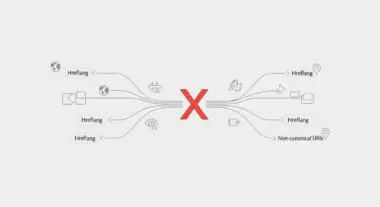
Unintended indexing occurs when a staging or development environment becomes crawlable and indexable by search engines. This typically happens due to the temporary or permanent removal of HTTP Basic Authentication, known as a 401 Unauthorized status. When this barrier falls, Googlebot rapidly discovers a duplicate version of the production site.
This creates a massive drain on your overall Crawl Budget. The bot splits its finite rendering resources between two identical infrastructures, delaying the indexing of critical production updates. In Google Search Console, this manifests as “Indexed, though blocked by robots.txt” or “Duplicate, Google chose different canonical than user” errors for URLs containing staging subdomains.
Server logs will simultaneously reveal 200 OK status codes for Googlebot User-Agents accessing paths that should return 401 or 403 HTTP statuses. This log activity is the definitive indicator of a perimeter breach. From a Generative Engine Optimization perspective, this scenario is catastrophic.
Generative Engines frequently scrape staging environments containing experimental features, placeholder text, or non-final data. This leads directly to the ingestion of hallucination-prone source material into the LLM’s knowledge graph. Once ingested by an LLM, purging this inaccurate data from AI search summaries is notoriously difficult.
The architecture of modern LLMs means that poisoned training data can persist long after the staging site is taken offline. Therefore, securing the staging environment is no longer just a traditional SEO concern, but a critical GEO safeguard.
Diagnostic Checkpoints
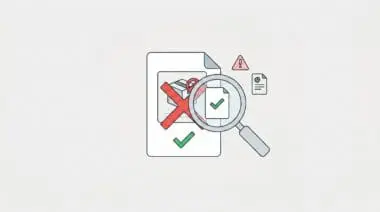
This indexing anomaly is rarely a manual error but rather a desynchronization within the deployment stack.
Diagnostic Checkpoints
CI/CD Deployment Configuration Overwrite
Deployment pipelines overwrite restrictive configs with public production settings.
CDN/Edge Cache TTL Persistence
Edge servers cache 200 OK responses during auth outages.
Internal Link Leakage & Discovery
Production source code contains absolute links to staging environments.
Robots.txt vs. Indexing Logic Conflict
Robots.txt prevents crawling but fails to stop URL indexing.
Automated deployment pipelines frequently synchronize configuration files directly from a repository. If the repository lacks environment-specific branching for authentication logic, a deployment to staging may overwrite the local restrictive config with public production settings. This strips the critical Auth requirements completely.
In a WordPress context, plugins like WP Migrate DB or site-duplication tools frequently overwrite the staging site’s .htaccess or web.config file. During a push or pull operation, the production version replaces the staging version, silently removing AuthType Basic directives. This plugin-induced overwrite is one of the most common causes of staging exposure.
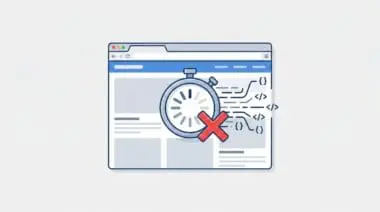
At the edge layer, CDN caching presents a significant risk. If HTTP Authentication is disabled even for a few minutes, platforms like Cloudflare or Akamai might cache the 200 OK response. If configured to cache everything, the CDN will serve the authenticated-free version to Googlebot from the edge long after the origin server has re-enabled 401 restrictions.
Cloudflare APO for WordPress or W3 Total Cache might store the unauthenticated page HTML in the object or edge cache. This serves the exposed content to crawlers regardless of the current server-level Auth status. The TTL persistence of these caches means the vulnerability window remains open far longer than the actual authentication downtime.
Furthermore, Googlebot often discovers these staging sites through leaked internal links. Absolute URLs pointing to the staging environment are frequently left in the production source code after database migrations. Failure to run a comprehensive Search-and-Replace on the database often leaves staging URLs in the wp_posts or wp_options tables.
Disabling HTTP Auth while relying solely on a robots.txt disallow rule is a common architectural failure. Robots.txt prevents crawling but does not prevent indexing, resulting in snippet-less entries polluting the SERPs. The native WordPress setting to discourage search engines only adds a robots.txt rule and a noindex meta tag, which fails if the crawler is blocked from rendering the page.
The Engineering Resolution
Resolving this conflict requires a multi-layered approach across the server, edge, and search engine console levels.
Engineering Resolution Roadmap
Reinstate Server-Level HTTP Authentication
Immediately re-apply HTTP Basic Auth via .htpasswd (Apache) or ‘auth_basic’ directives (Nginx). Ensure the scope covers the entire document root of the staging subdomain.
Inject X-Robots-Tag Global Header
Modify the server configuration to send an ‘X-Robots-Tag: noindex, nofollow, noarchive’ header for all requests on the staging domain. This is more effective than a meta tag as it works for non-HTML files like PDFs and images.
Execute GSC URL Prefix Removal
Access Google Search Console, add the staging subdomain as a new property, and use the ‘Removals’ tool to temporarily hide the entire prefix (e.g., https://staging.example.com/) from search results.
Purge Edge and Object Caches
Flush the CDN cache (Cloudflare ‘Purge Everything’), the server-level cache (Varnish/Nginx FastCGI), and the WordPress Object Cache to ensure no 200 OK versions of the site remain accessible.
Reinstating server-level HTTP Basic Auth is the immediate first line of defense. This ensures that any crawler reaching the origin server is immediately met with a hard 401 Unauthorized response, halting the crawl process. You must ensure the scope covers the entire document root of the staging subdomain.
However, relying solely on authentication is insufficient if URLs have already leaked. Modifying the server configuration to send a global X-Robots-Tag header guarantees that any bypassed requests still instruct the crawler not to index the asset. This header-level directive is far more effective than an HTML meta tag because it applies uniformly to non-HTML files like PDFs, JSON payloads, and images.
With the server secured, you must actively clear the existing index footprint. Adding the staging subdomain as a distinct property in Google Search Console allows you to leverage the Removals tool. This temporarily hides the entire staging prefix from search results while the cache naturally expires.
It is crucial to understand that the GSC Removals tool does not delete the URLs from the index; it merely suppresses them for six months. This is why the underlying X-Robots-Tag must be in place before the suppression period ends. Finally, aggressive cache purging across all edge nodes and object caches ensures no stale 200 OK responses remain accessible to crawlers.
You must flush the CDN cache, the server-level cache like Varnish or Nginx FastCGI, and the WordPress Object Cache simultaneously. Overlooking a single caching layer can result in intermittent 200 OK responses, confusing the crawler and prolonging the indexation issue.
The Code Implementations
Fixing via NGINX Server Block
This configuration enforces Basic Authentication while simultaneously injecting a strict X-Robots-Tag header across the entire staging server block.
### NGINX (Staging Block) ###
server {
    server_name staging.example.com;
    add_header X-Robots-Tag "noindex, nofollow, nosnippet, noarchive" always;
    location / {
        auth_basic "Restricted Area";
        auth_basic_user_file /etc/nginx/.htpasswd;
    }
}
Fixing via Apache .htaccess
For Apache environments, these directives set the required HTTP headers and enforce valid-user authentication at the directory level.
### APACHE (.htaccess) ###
Header set X-Robots-Tag "noindex, nofollow"
AuthType Basic
AuthName "Restricted Access"
AuthUserFile /path/to/.htpasswd
Require valid-user
Fixing via WordPress functions.php
If server-level access is restricted, you can force WordPress to send the X-Robots-Tag header dynamically based on the current HTTP host.
### WORDPRESS (functions.php) ###
add_action('send_headers', function() {
    if (strpos($_SERVER['HTTP_HOST'], 'staging.') !== false) {
        header('X-Robots-Tag: noindex, nofollow, noarchive', true);
    }
});
Validation Protocol & Edge Cases
Implementation is meaningless without rigorous validation. You must actively test the server responses mimicking search engine user agents.
Validation Protocol
- Execute curl with Googlebot User-Agent to verify 401 Unauthorized status.
- Validate presence of X-Robots-Tag: noindex header in server response.
- Perform GSC URL Inspection ‘Live Test’ to confirm access denial.
- Audit database for absolute staging links in production wp_posts.
A high-complexity edge case occurs when Cloudflare Edge Workers are configured to modify headers dynamically. If an Edge Worker is programmed to strip the X-Robots-Tag for debugging purposes, it will bypass your origin-level security entirely.
Similarly, fail-open logic during high traffic events can inadvertently expose the staging environment. Furthermore, if Cloudflare Access is utilized instead of traditional Basic Auth, Googlebot may encounter a 302 redirect to a login portal.
If that specific login page lacks a strict noindex tag, Google may index the login portal as the canonical homepage of your staging site. Always verify that authentication portals themselves are blocked from indexing.
Additionally, use the Google Search Console URL Inspection Tool on a staging URL. If the Live Test shows that the URL is available to Google, the authentication or header injection is actively failing at the edge or origin level.
Another rare edge case involves Varnish cache holding stale sitemaps. If a staging sitemap was generated during the authentication downtime, Varnish might continue to serve this XML file to Googlebot, providing a direct map to the exposed URLs.
Autonomous Monitoring & Prevention
Preventing staging indexation requires moving from reactive fixes to proactive architectural safeguards. You must implement a pre-flight check within your CI/CD pipeline, such as GitHub Actions or GitLab CI.
This automated check should execute a cURL request against the staging URL and intentionally fail the build if it returns anything other than a 401 status code. Additionally, utilize environment-specific variables to ensure SEO plugins are hardcoded to noindex in non-production environments regardless of database settings.
At Andres SEO Expert, we advocate for advanced automation to monitor entity integrity at the enterprise level. By routing server logs through Make.com pipelines or custom API alerts, you can detect unauthorized crawler access in real-time.
This ensures that any authentication drops trigger an immediate Slack or PagerDuty alert before Googlebot can ingest the exposed data. Relying on manual checks is insufficient for modern, high-velocity deployment schedules.
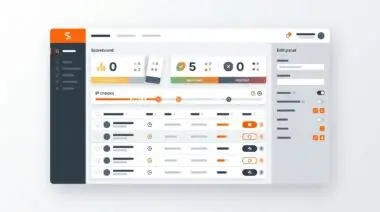
Integrating log analysis tools like Kibana or Splunk to specifically monitor staging subdomain traffic for Googlebot User-Agents provides an additional layer of visibility. When configured correctly, these dashboards act as an early warning system for staging environment breaches.
Conclusion
Securing a staging environment requires strict alignment between server configurations, edge caching rules, and deployment pipelines. Relying on robots.txt alone is an architectural flaw that will inevitably lead to index pollution.
By enforcing HTTP Basic Authentication alongside global X-Robots-Tag headers, you establish a resilient barrier against unintended crawling. Continuous validation and automated pipeline checks are essential to maintaining this security posture over time.
Resolving this issue swiftly protects your crawl budget and prevents generative engines from ingesting unstable, hallucination-prone data. Mastery of these server-level controls is non-negotiable for enterprise SEO.
Navigating the intersection of technical SEO, server architecture, and generative search requires a precise roadmap. If you need to future-proof your enterprise stack, resolve deep-level crawl anomalies, or implement AI-driven SEO automation, connect with Andres at Andres SEO Expert.