Key Points
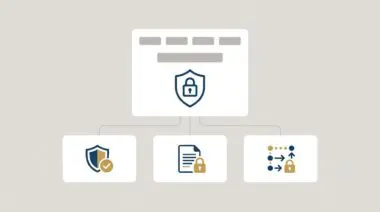
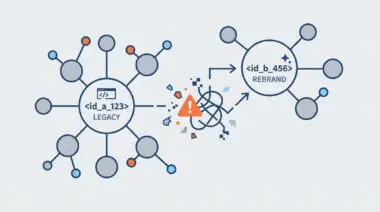
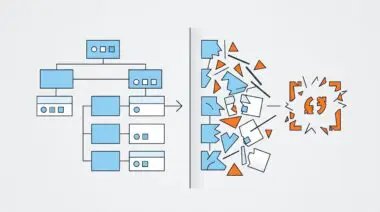
- CORS Policy Blocks WRS Rendering: Missing Access-Control-Allow-Origin headers on external CDNs prevent Googlebot from fetching critical CSS, resulting in unstyled, blank page renders that destroy AI search visibility.
- Preflight OPTIONS Requests are Mandatory: Overly aggressive WordPress security firewalls frequently block non-standard HTTP methods, killing the required CORS preflight handshake before the CSS payload can be downloaded.
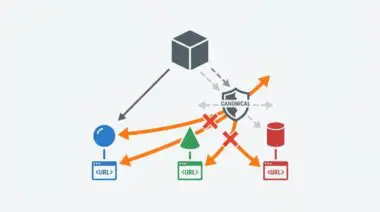
- Edge Caching Requires Vary: Origin: Content Delivery Networks serving cached assets without properly configuring the Vary: Origin header will deliver poisoned, header-less responses to the Web Rendering Service.
Table of Contents
The Core Conflict: WRS and CORS Policy Failures
According to the HTTP Archive, approximately 18% of mobile pages fail to render properly due to resource fetch errors, with CORS misconfigurations on third-party CDNs identified as a top-tier contributor to ‘Partial Indexing’ issues in enterprise environments. This statistic highlights a critical vulnerability in modern headless and decoupled architectures. When Googlebot Smartphone encounters a critical CSS file hosted on a different domain without the correct authorization headers, the rendering engine immediately halts processing.
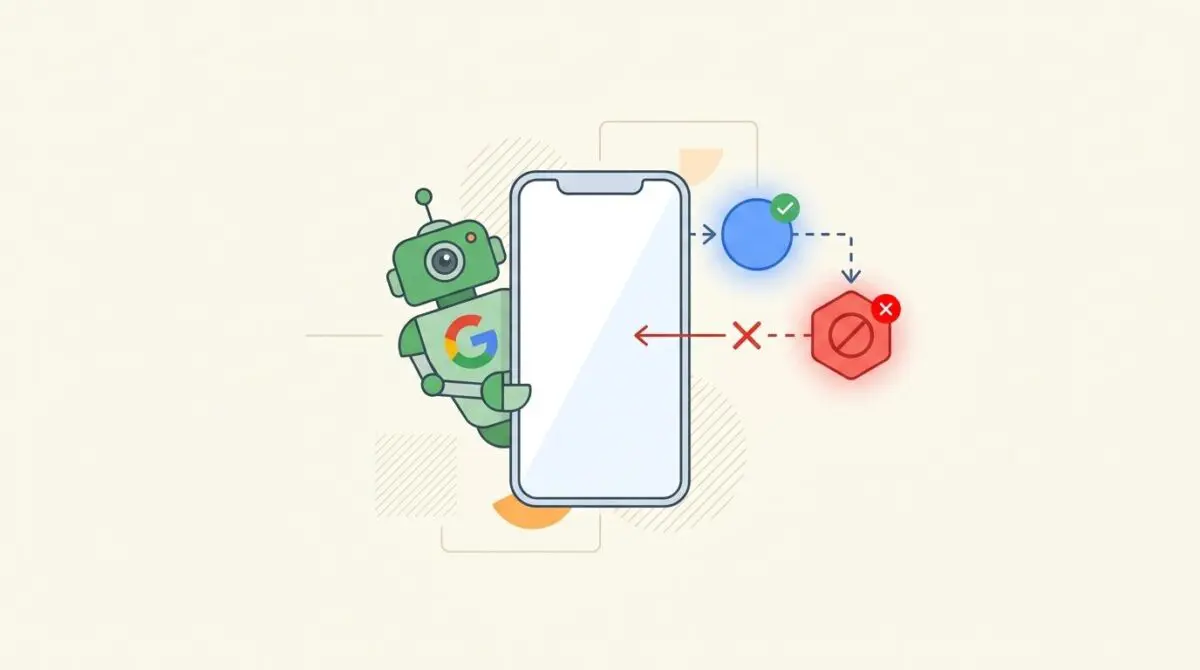
The Cross-Origin Resource Sharing (CORS) Policy is a strict security mechanism that allows or restricts resources on a web page from being requested by external domains. If your asset server fails to pass the correct headers, Google’s Web Rendering Service (WRS) defaults to a Same-Origin policy and drops the fetch request. This results in a completely blank or unstyled page where typography, visual hierarchy, and layout shifts are undetectable.
From a Generative Engine Optimization (GEO) perspective, obscured layouts prevent LLM-based indexers from identifying semantic hierarchies. When large language models process a page, they rely heavily on the visual DOM to understand semantic weight. If a critical stylesheet is blocked, the AI cannot differentiate between a massive primary header and tiny footer text. This loss of visual context severely degrades your ability to rank in AI overviews and generative search features.
Diagnostic Checkpoints for Asset Desynchronization
Diagnostic Checkpoints
Missing Access-Control-Allow-Origin Header
Asset server fails to authorize the requesting domain origin.
Blocked HTTP OPTIONS Preflight Requests
Security layer blocks mandatory preflight OPTIONS request.
Vary: Origin Cache Poisoning
CDN delivers cached assets missing required CORS headers.
Strict Content Security Policy (CSP) Directives
Internal site security policy prevents external script execution.
This rendering error is rarely a single point of failure; it is usually a desynchronization in your technology stack. At the server layer, missing headers mean the CDN fails to authorize the requesting domain origin. This forces the browser to discard the CSS file immediately to protect the user from potential cross-site scripting vulnerabilities.
In the WordPress ecosystem, this issue frequently surfaces when utilizing offload media plugins. These tools sync local assets to AWS S3 or Google Cloud Storage but often fail to configure the remote bucket’s permissions. Consequently, the cloud storage bucket rejects the cross-origin request from the primary domain.
Caching layers introduce another dimension of complexity to resource fetching. If your edge network stores a direct request lacking CORS headers, it may serve that poisoned cache directly to Googlebot. In these scenarios, CDNs serving cached versions without CORS headers will trigger an immediate block. To prevent this architectural flaw, the Vary: Origin header is required for caching to ensure the server differentiates cache keys based on the origin request.
The Engineering Resolution Roadmap
Engineering Resolution Roadmap
Identify Blocked Resources in GSC
Run a ‘Live Test’ in Google Search Console’s URL Inspection tool. Open ‘View Tested Page’ > ‘More Info’ > ‘Page Resources’. Identify the specific .css URLs marked as ‘Blocked’ or ‘Other’ with a CORS reference.
Modify NGINX/Apache on Asset Server
Update the server configuration for the asset domain to include ‘Access-Control-Allow-Origin’. For NGINX, add ‘add_header Access-Control-Allow-Origin “*”;’ within the location block for CSS files. For Apache, use ‘Header set Access-Control-Allow-Origin “*”‘ in the .htaccess file.
Configure CDN CORS Rules
If using Cloudflare, go to ‘Rules’ > ‘Transform Rules’ > ‘Modify Response Header’. Create a rule to add the ‘Access-Control-Allow-Origin’ header to all requests where the hostname matches your asset delivery domain.
Clear Caches and Validate Headers
Purge the CDN cache, the WordPress object cache, and any edge-side cache. Use a CLI command to verify that the ‘Access-Control-Allow-Origin’ header is present in the response.
Resolving this rendering blocker requires a systematic approach to header management across your delivery network. The first step always involves isolating the exact blocked resource using Google Search Console’s Live Test tool. Identifying the specific CSS file marked with a CORS error confirms the scope of the misconfiguration.
Once isolated, the engineering fix must be applied directly to the asset server or CDN delivering the file. This involves modifying the NGINX or Apache configuration files to append the correct authorization headers to every CSS response. If left unresolved, this desynchronization wastes Googlebot’s crawl budget during rendering because the crawler repeatedly attempts to process a broken visual DOM.
Finally, header modifications are entirely useless if stale assets remain in the cache. Purging the CDN, object cache, and any edge-side storage is mandatory before validation. This ensures that the next time Googlebot’s WRS requests the CSS, it receives the freshly minted headers.
Executing the Fix: Server Configuration
Applying the fix requires direct access to the web server block managing your asset delivery domain. The goal is to explicitly whitelist the requesting origin and allow the necessary HTTP methods.
Fixing via NGINX Configuration
For environments utilizing NGINX, you must update the location block that handles static assets. The configuration must add the origin headers and explicitly handle the preflight OPTIONS request.
location ~* \.(css|js|woff2?|ttf|otf|eot|svg|json)$ {
    add_header Access-Control-Allow-Origin "*";
    add_header Access-Control-Allow-Methods "GET, OPTIONS";
    add_header Access-Control-Allow-Headers "Origin, X-Requested-With, Content-Type, Accept";
    if ($request_method = 'OPTIONS') {
        add_header 'Access-Control-Max-Age' 1728000;
        add_header 'Content-Type' 'text/plain; charset=utf-8';
        add_header 'Content-Length' 0;
        return 204;
    }
}
This snippet ensures that any CSS or font file served from the CDN automatically includes the wildcard authorization header. It also intercepts the preflight request, returning a 204 No Content status along with a long max-age cache directive. This optimizes performance by preventing redundant preflight checks on subsequent requests.
Fixing via Apache Configuration
If your infrastructure relies on Apache, the resolution requires modifying the configuration file located in the root of your asset server. You must utilize the headers module to broadcast the correct origin permissions. This ensures legacy environments still comply with modern cross-origin security requirements.
<IfModule mod_headers.c>
    <FilesMatch "\.(css|js|fonts)$">
        Header set Access-Control-Allow-Origin "*"
    </FilesMatch>
</IfModule>
This directive explicitly targets stylesheet and font file extensions to broadcast the wildcard origin header. It is a lightweight solution that avoids modifying the global server configuration. However, you must ensure that the Apache headers module is actively enabled on your server instance.
Validation Protocol & Edge Cases
Validation Protocol
- Execute curl -I -H “Origin: domain” for the CSS URL.
- Confirm access-control-allow-origin is present in the output.
- Verify visual rendering completeness using the Rich Result Test.
- Inspect Chrome DevTools Network for zero active CORS errors.
After deploying the server changes and purging all caches, immediate validation is required to ensure Googlebot can render the DOM. Relying solely on Google Search Console can be slow due to processing delays. Instead, command-line tools provide instant, ground-truth verification of the HTTP response.
Beyond command-line tools, Chrome DevTools offers a visual debugging environment for cross-origin fetch issues. Navigating to the Network tab and filtering by CSS will instantly reveal any failed requests. If the status column displays a CORS error, your server-side header modifications have not successfully propagated to the edge.
A common edge case involves Cloudflare Edge Workers configured to rewrite asset URLs for optimization. If the worker script fails to pass the original origin header through the fetch request, the request is essentially anonymized. This strips the CORS credentials required for the browser to trust the CSS file, resulting in an intermittent blank page for Googlebot.
Autonomous Monitoring & Prevention
Fixing the CORS policy error is only the first step; preventing regressions requires proactive infrastructure monitoring. Enterprise environments should implement automated monitoring for HTTP headers on critical assets. Tools like ContentKing or custom Nagios scripts can verify that authorization headers remain intact after every deployment.
Your continuous integration pipeline must be configured to catch these errors before they reach production. Implementing strict validation phases ensures that asset synchronization never breaks your visual rendering.
- Automated Header Audits: Utilize custom scripts to ping critical CSS endpoints daily.
- CI/CD Pipeline Validation: Enforce strict header checks before pushing new edge configurations.
- Log File Analysis: Monitor server logs for 403 and 405 status codes indicating preflight rejections.
At Andres SEO Expert, we engineer custom API alerts and Make.com pipelines to monitor entity integrity at the enterprise level. By treating your server architecture and SEO as a unified ecosystem, you can detect asset desynchronization long before Googlebot encounters a blank page.
Conclusion
Resolving CORS policy blocks on critical CSS is foundational to ensuring technical SEO health and maximizing AI search visibility. By auditing your asset delivery network, configuring precise origin headers, and managing preflight requests, you guarantee that Google’s rendering engine can accurately parse your visual hierarchy.
Navigating the intersection of technical SEO, server architecture, and generative search requires a precise roadmap. If you need to future-proof your enterprise stack, resolve deep-level crawl anomalies, or implement AI-driven SEO automation, connect with Andres at Andres SEO Expert.
Frequently Asked Questions
What is a CORS policy failure in technical SEO?
CORS (Cross-Origin Resource Sharing) is a security protocol that restricts how resources on one domain are requested by another. In technical SEO, a failure occurs when an asset server or CDN fails to deliver the correct authorization headers, causing Google’s Web Rendering Service (WRS) to block critical files like CSS and JavaScript.
How does a CORS error impact Googlebot and site rendering?
When Googlebot encounters a CORS block on a critical stylesheet, it immediately halts the rendering process. This results in a blank or unstyled page, preventing Google from understanding layout shifts, typography, and visual hierarchy, which often leads to ‘Partial Indexing’ errors.
Why is visual rendering important for Generative Engine Optimization (GEO)?
Large Language Models (LLMs) and AI search engines rely on the visual DOM to determine semantic weight. If a CORS block prevents CSS from loading, the AI cannot distinguish between primary headers and secondary text, degrading the page’s ability to rank in AI overviews.
How can I identify CORS-related resource blocks in Google Search Console?
Perform a ‘Live Test’ using the URL Inspection tool in Google Search Console. Open ‘View Tested Page,’ go to ‘More Info,’ and select ‘Page Resources.’ Look for URLs marked as ‘Blocked’ or ‘Other’ that specifically reference CORS or cross-origin authorization failures.
How do I resolve CORS issues on an NGINX server?
To fix this on NGINX, you must modify the location block for static assets to include the header ‘add_header Access-Control-Allow-Origin “*”;’. You should also configure the server to handle HTTP OPTIONS preflight requests by returning a 204 No Content status.
Why is the Vary: Origin header necessary for CDN caching?
The ‘Vary: Origin’ header ensures that CDNs do not serve a cached version of a resource that lacks CORS headers to a domain that requires them. It forces the cache to differentiate keys based on the origin of the request, preventing ‘cache poisoning’ that blocks Googlebot.