Executive Summary
- Implementation of a high-frequency server architecture paired with a lean presentation layer to establish a zero-latency foundation.
- Strategic delegation of security and dynamic caching to the edge network using Cloudflare APO to eliminate server-side bottlenecks.
- Granular manipulation of CSS and JavaScript assets through strict conditional loading to achieve zero Total Blocking Time and Cumulative Layout Shift.
- Engineering a fully machine-readable infrastructure via Markdown negotiation and WebMCP integration for complete AI-agent readiness.
- Continuous validation of extreme performance metrics through real-time Google Cloud API dashboards to prove sustainable Core Web Vitals.
Table of Contents
- Live Core Web Vitals: The Real-Time Proof
- Server Architecture: The Foundation of Zero Latency
- The Presentation Layer: Escaping the Legacy Theme Trap
- The Edge Computing Layer: Cloudflare Architecture
- The WordPress Performance Plugin Stack: Engineering Without Bloat
- The GEO Blueprint: Engineering a 100% AI-Agent Ready Architecture
- Beyond the Score: Engineering the Future of Search
- Frequently Asked Questions
Achieving a green mobile score on PageSpeed Insights often feels like an impossible mission, let alone securing a flawless 100/100. Yet, search algorithms and emerging AI engines dictate the market conditions, pushing our infrastructure to the absolute limit with strict performance demands for optimal crawlability
Building an ultra-fast, AI-ready website is exactly what my architecture was engineered to do, and this guide uses my own site with live metrics as the ultimate blueprint. While I showcase my specific setup, I will also provide objective insights into other common plugins and platforms across each section so you can adapt these principles to your own environment.
This post goes beyond a simple step-by-step tutorial for acing Core Web Vitals. It is a contextual masterclass on the macro decisions that dictate your technical success, such as choosing between a bloated legacy template, a premium theme designed for performance, or a custom development route. I will show you how to rigorously evaluate every component you introduce to your stack, weighing the actual value of a plugin against its hidden costs on rendering speed, server resources, and database bloat.
Live Core Web Vitals: The Real-Time Proof
Most performance guides rely on outdated screenshots to validate their methods. I prefer radical transparency. Below is a live dashboard pulling my site’s Core Web Vitals directly from the Google Cloud API every six hours. This is not a theoretical exercise but a real-time demonstration of the exact architecture detailed in this guide. The numbers you see are the direct result of the server, theme, and edge configurations we are about to explore. This live data is my technical signature, proving that a flawless score is sustainable.
Live Data via Google PageSpeed API | Last sync: 2026-10-21 12:30:34
Take a close look at the Last sync timestamp above. I invite you to bookmark this page and return tomorrow, next week, or whenever you want to verify that this flawless performance is a permanent standard, not a temporary fluke. If you prefer immediate proof, simply click the Audit this site live button to run your own real-time test directly through Google’s engine.
Server Architecture: The Foundation of Zero Latency
Every high-performance setup begins at the server level. You cannot out-optimize a poor hosting setup with caching plugins or front-end tricks. For this project, I rely on WPMU DEV Hosting because its architecture is inherently designed for speed, utilizing dedicated resources, NGINX, Server-side page caching using FastCGI, and advanced object caching.

Many assume that achieving a perfect PageSpeed score requires a massive, expensive enterprise server. The reality is quite different. My current environment runs on highly optimized but modest specifications, which are, of course, perfectly scalable at any time.
Specifically, this setup utilizes High Frequency servers equipped with faster CPUs engineered exclusively for performance-critical sites. This provides a raw processing advantage that standard environments simply cannot match.
- RAM: 2 GB
- CPU: 2 Cores
- Storage: 80 GB SSD
- Bandwidth: 25 TB
It is the configuration and resource allocation that matter, not just raw computing power. While WPMU DEV is my chosen infrastructure, you can replicate this foundational speed engineering using other premium environments like LiquidWeb, Pressable, or custom droplets on DigitalOcean.
The Presentation Layer: Escaping the Legacy Theme Trap
Moving up the stack, we reach the presentation layer, which is where most WordPress projects fail before they even begin. To be brutally honest, the vast majority of commercial WordPress themes are bloated disasters. They are packed with unnecessary DOM elements, massive CSS stylesheets, and heavy JavaScript libraries that load globally regardless of whether they are actually used on the page. Choosing a theme based solely on aesthetics is a critical mistake that will permanently cripple your performance metrics.
For this architecture, I selected a theme from CodeSupply. Their development approach is lean, modern, and strictly aligned with Core Web Vitals. By starting with a lightweight foundation, the server and edge layers do not have to work overtime to compensate for poor front-end code. A sensible, performance-first theme ensures that your browser rendering remains fast and your layout shifts remain at zero.
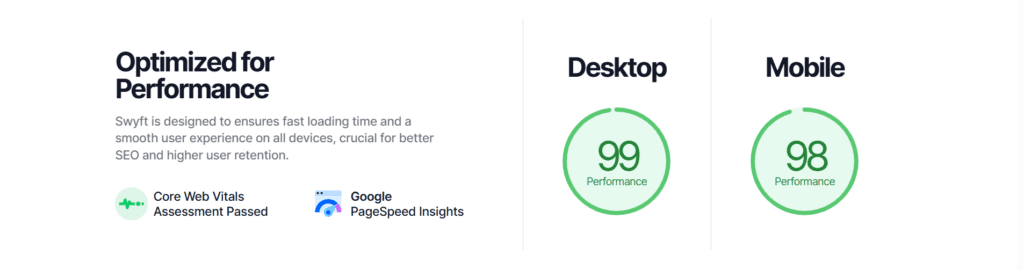
Regardless of who develops the theme, the crucial step before purchasing is to verify that it explicitly states something like this:
The Edge Computing Layer: Cloudflare Architecture
Once the server and theme are locked in, the next critical layer is the Edge. Cloudflare is not just a Content Delivery Network for this architecture. It is the absolute command center for security, caching, and AI traffic management.
1. Security and AI Crawler Control
According to the 2026 State of AI Traffic report by Human Security, automated traffic is now growing eight times faster than human traffic, with AI agent activity surging by an astonishing 7,851% in a single year. Managing this automated traffic is essential for preserving server resources and protecting your content. Allowing every bot to crawl your site will spike your CPU usage and ruin your performance metrics.
2026 Benchmark: AI Traffic & Cyberthreat Landscape
Automated Traffic Velocity
Automated traffic scales 8x faster than human-generated traffic.
AI-Driven Volume Surge
AI traffic volume surged 187% within a single year.
Agentic Browser Explosion
Massive 7,851% growth in AI agents and agentic browsers.
Sector Targeting Focus
95% of AI traffic concentrated in three key industries.
Global Scraping Intensity
Scraping attempts now reach 20% of total global traffic.
Post-Login Fraud Escalation
Post-login attacks quadrupled with 402k incidents per organization.
We must be highly strategic about which bots we block and which we allow.
- Super Bot Fight Mode: This feature neutralizes malicious scrapers and automated attack tools before they even reach the origin server.
- Cloudflare Managed Ruleset: A robust Web Application Firewall (WAF) that filters out vulnerability scanners and zero-day exploits automatically.
- AI Bot Control: I strictly block aggressive, non-attributing scrapers that steal content without providing value. Conversely, I explicitly allow engines like GPTBot and PerplexityBot to ensure maximum visibility for Generative Engine Optimization (GEO).
- AI Labyrinth: This acts as an advanced defensive layer, creating a tarpit to trap and analyze unauthorized scraping attempts without affecting human users.
2. Performance: Speed and Edge Caching
Security is only half the equation at the edge. The other half is delivering a zero-latency experience through aggressive caching and intelligent routing.
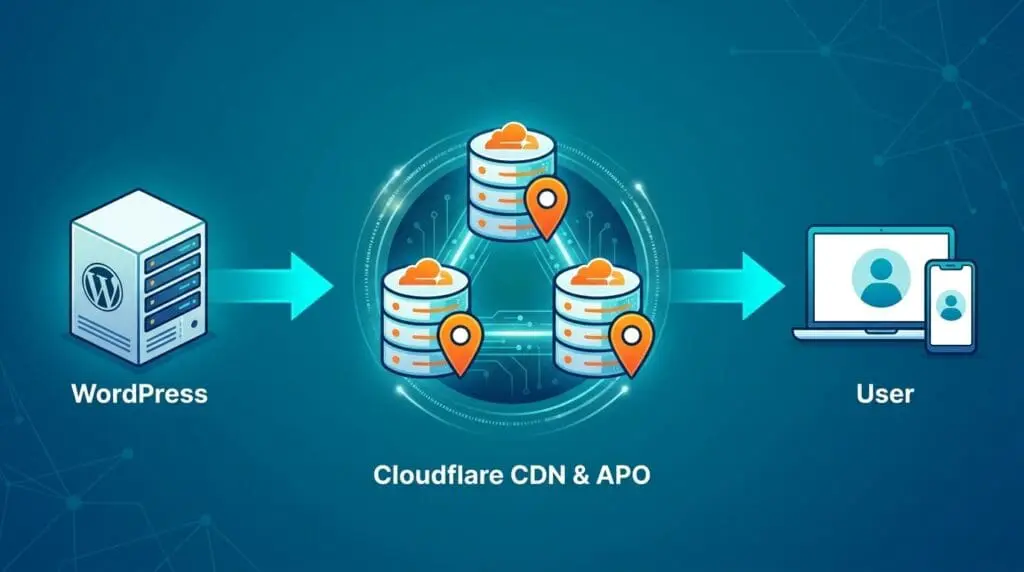
Here is how the performance layer is structured to eliminate Total Blocking Time (TBT) and ensure instant delivery.
- Cloudflare APO: Automatic Platform Optimization is the holy grail for WordPress. It caches the HTML dynamically at the edge, bypassing PHP execution entirely and delivering an instant Time to First Byte (TTFB).
- Tiered Cache: This topology routes traffic through Cloudflare’s regional data centers rather than fetching directly from the origin, drastically reducing the load on the WPMU DEV server.
- Speed Brain: This feature anticipates user navigation, prefetching content in the background so the next page loads instantly upon clicking.
- Early Hints: By sending preload instructions to the browser before the full server response is ready, critical assets begin rendering without delay.
3. 100% AI-Agent Readiness (GEO & WebMCP)
The future of search is no longer just human browsers; it is AI agents and Large Language Models (LLMs). My architecture is engineered to be entirely machine-readable.

Testing the site on isitagentready.com yields a flawless 100% score across all discoverability and integration metrics. This requires a highly specialized setup that goes far beyond traditional SEO.
- Markdown Negotiation: The server dynamically delivers content in pure Markdown format when requested by AI agents, stripping away HTML bloat for faster machine processing.
- Advanced robots.txt: Custom directives explicitly guide AI bots, utilizing Content-Signal tags to dictate exactly what data should be ingested and indexed.
- API Catalog & OAuth: The architecture exposes a well-known API catalog and OpenID Connect discovery metadata, allowing secure, authenticated access for advanced agents.
- WebMCP Integration: The Model Context Protocol (MCP) is fully integrated into the root architecture.
- Server Cards & Skills: The setup provides a standardized MCP Server Card and an Agent Skills index with defined capabilities, making the site a fully interactive node for AI assistants.
See it in action: Verify at isitagentready.com!
Naturally, deploying this exact architecture requires at least a Cloudflare Pro subscription. While the Free tier cannot support these advanced configurations, it remains an excellent starting point to test and familiarize yourself with this complex environment that perfectly complements your WordPress server.
The WordPress Performance Plugin Stack: Engineering Without Bloat
The most common mistake in WordPress development is treating plugins like harmless add-ons. Every plugin you install introduces potential database queries, PHP execution time, and front-end bloat. Achieving a perfect performance score requires a ruthless evaluation of every tool, weighing its actual business value against its performance cost.
While I will mention popular alternatives for each category, the specific stack detailed below is the exact configuration I use and guarantee for flawless Core Web Vitals.
1. The Core Performance Engine
This group is directly responsible for asset delivery, caching, and eliminating rendering delays. This is where the most aggressive optimizations take place, and where you must take manual control of your architecture.

- Hummingbird Pro: This is the command center for file optimization, handling GZIP compression, browser caching, and CSS/JS minification. While WP Rocket or W3 Total Cache are solid alternatives, Hummingbird integrates flawlessly with the WPMU DEV server architecture. However, its true power lies in its manual asset management. Relying on automatic optimization is a mistake if you want a perfect score. Automatic algorithms are conservative to avoid breaking layouts. To achieve zero Total Blocking Time, you must manually map and route your CSS and JavaScript files. Here is the contextual blueprint I use, which you can apply to your own specific plugin stack.
- Core Theme Assets: In an ideal environment with a lean theme like CodeSupply, your main stylesheets and scripts are small. You simply minify them, compress them, and leave them in the header to paint the initial layout quickly. In a non-ideal scenario with a bloated legacy theme, these files are massive. You will be forced to extract the critical CSS manually, place it inline, and aggressively move the rest of the theme files to the footer to prevent render-blocking.
- Page Builders and Visual Heavyweights: Historically, tools like Elementor or complex image galleries were notorious for injecting their CSS and JS globally across every single URL. Today, the strategy is different. For Elementor, we rely entirely on its native experimental performance features to conditionally load its own assets only where needed. Hummingbird then steps in not to block these files, but to aggressively minify them and force them to load asynchronously. If you are dealing with an older, stubborn plugin that still bleeds its code globally, you will either need to use Hummingbird to push those scripts to the footer to prevent render-blocking, or integrate a dedicated script manager like Perfmatters for strict URL-by-URL conditional loading.
- The jQuery Dilemma: JavaScript optimization usually fails because of jquery-core. In a perfect modern setup, your site would not rely on jQuery at all. In reality, many WordPress plugins depend on it. If you defer jQuery to the footer to improve performance, you must also defer every single script that depends on it. The same strict rules apply to jquery-migrate, a backward-compatibility script heavily relied upon by many plugins to function correctly. Failing to map these dependencies will instantly break your interactive elements and shatter your DOM structure.
- Admin and Utility Bleed: Many backend plugins, such as translation tools or internal linking managers, accidentally load their CSS and JS on the public front end for non-logged-in users. You must identify these micro-utilities in the asset list and completely disable them from loading on the front end. Every file you prevent from loading is a saved HTTP request.
- Smush Pro: Heavy images will instantly destroy your Largest Contentful Paint (LCP) score. We use this tool strictly at the server level to resize, compress, and automatically convert all media to WebP formats. Instead of relying on its built-in CDN, we keep the processing local to prepare the assets perfectly for the next critical step in our edge architecture.
- Cloudflare Polish: This is the masterstroke of our image delivery strategy. Once Smush Pro prepares the optimized WebP files on the origin server, we hand them over to this advanced edge feature. It serves the assets through Cloudflare’s global CDN at the speed of light, ensuring instant rendering and protecting our LCP metrics without introducing third-party network latency.
- OMGF Pro: Typography is a notorious source of Cumulative Layout Shift (CLS) and Total Blocking Time (TBT). This plugin hosts Google Fonts locally and preloads them with zero latency, completely eliminating font-related rendering blocks. Perfmatters offers similar features, but OMGF Pro provides unmatched granular control. It allows you to force early execution of specific font stylesheets while completely stripping out unused font weights injected by third-party plugins.
2. Technical SEO and AI Indexing
Performance is useless if search algorithms and AI agents cannot crawl your site efficiently. However, the tools designed to improve SEO are often the exact same tools that destroy server response times. This group ensures our technical architecture speaks the exact language of the engines without injecting bloat into the presentation layer.
- SmartCrawl Pro: This tool handles schema markup, sitemaps, and metadata with an incredibly lightweight footprint. While industry standards like Yoast or RankMath are excellent, highly capable choices used by many of my own clients, I selected SmartCrawl for this specific architecture due to its seamless integration with the WPMU DEV ecosystem. The dark matter here is controlling front-end bloat. Many SEO plugins inject unnecessary scripts, massive inline CSS for admin bars, or redundant schema blocks that slow down the DOM. The optimization strategy is to strip all visual SEO features from the front end, ensuring the plugin only outputs clean, machine-readable code in the header.
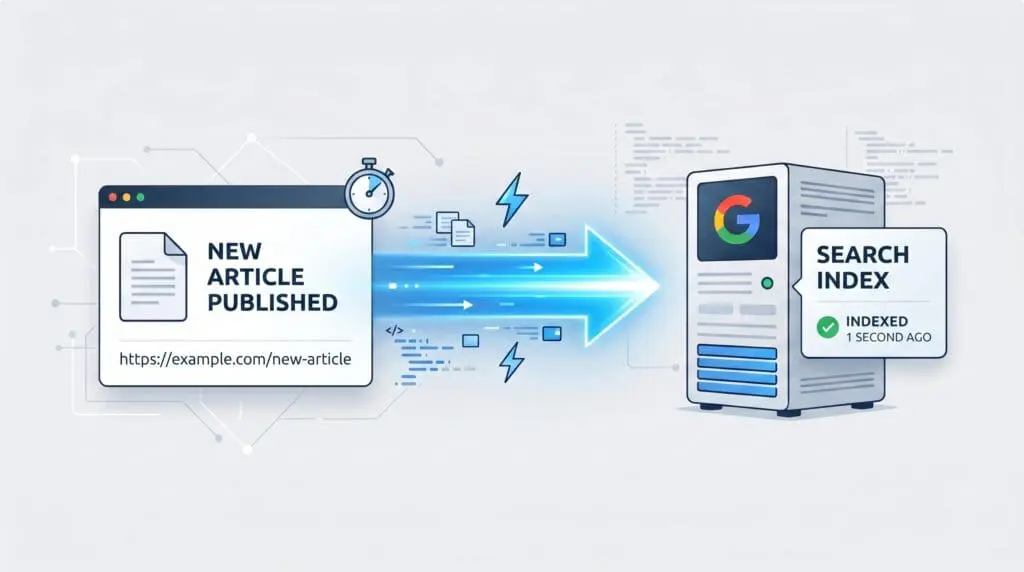
- Instant Indexing: Waiting for search engine bots to organically crawl your sitemap is an outdated strategy that wastes server resources. We bypass the traditional crawl queue entirely by connecting directly to the Google Cloud Platform via API. This is a push mechanism rather than a pull mechanism. The moment a page is published or updated, the API pings the algorithm directly. This not only guarantees immediate visibility but also drastically reduces the load on your server, as bots no longer need to constantly poll your site for changes. This real-time data pipeline is also a foundational step for keeping your content fresh for AI agents.
- Internal Link Juicer (Pro): Internal linking is the lifeblood of crawlability, but automating it usually destroys server performance. Most linking plugins parse the entire HTML of your page on the fly every time a user loads it, which causes massive spikes in Time to First Byte (TTFB) and PHP execution time. The Pro version of this tool solves this by building a highly efficient index directly in the database. It distributes link equity perfectly across the site without taxing the server during the rendering process. As mentioned in the asset management section, you must also ensure its backend CSS is strictly disabled on the public front end to save HTTP requests.
3. Security and Edge Synchronization
Security plugins are notorious for destroying server performance. Scanning files and filtering traffic at the application level consumes massive amounts of CPU and memory. The architectural strategy here is strict delegation. We handle basic access control locally but offload all heavy security processing to the edge.
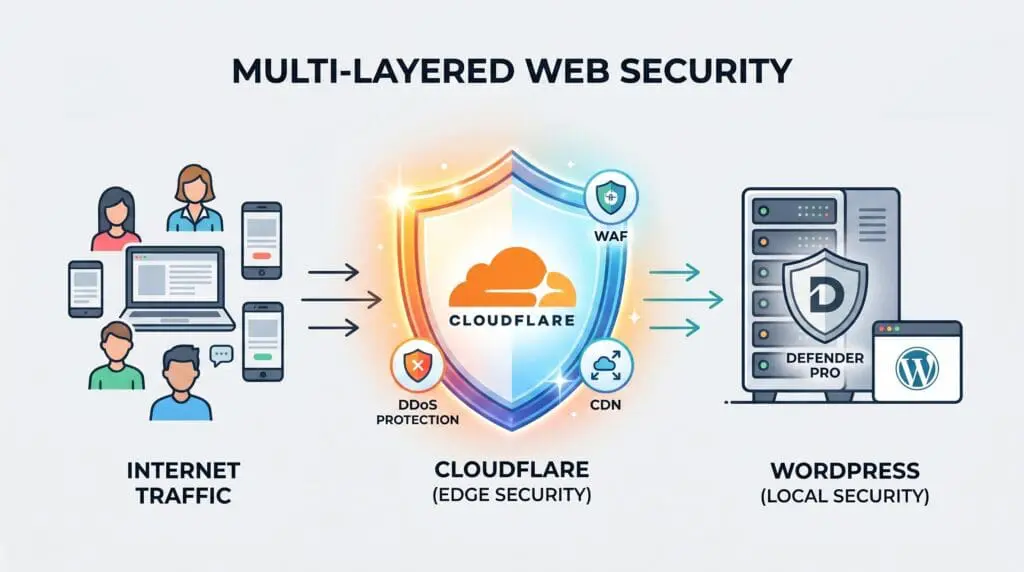
- Cloudflare (The Edge Solution & Plugin Integration): The WordPress plugin itself is merely a lightweight bridge, but the actual Cloudflare infrastructure is the most critical component of this entire architecture. It acts as the ultimate shield and delivery network, ensuring the origin server only processes what is absolutely necessary.
- Automatic Platform Optimization (APO): This is the holy grail for WordPress performance. APO caches the actual HTML of your pages directly at the edge nodes. When a visitor requests a page, Cloudflare serves it instantly without ever waking up your server, bypassing PHP execution and database queries entirely. This is how you achieve a Time to First Byte (TTFB) of just a few milliseconds globally.
- Advanced Cache Rules and Session Cookies: This is where basic server caching fails miserably. Heavy plugins, membership portals, or e-commerce setups rely on session cookies to deliver personalized content. A basic cache will either serve the wrong user data to everyone or force the server to render dynamically for every single request, which will crash even the most expensive enterprise servers. The solution is configuring strict Cloudflare Cache Rules to bypass the edge cache only when specific session cookies are detected. This keeps the site lightning-fast for anonymous traffic while preserving dynamic functionality for logged-in users.
- Anti-Bot and Edge Security: Malicious scrapers, vulnerability scanners, and automated attacks consume massive amounts of bandwidth and CPU. By utilizing Cloudflare’s Super Bot Fight Mode and custom Web Application Firewall (WAF) rules, we neutralize these threats at the network edge. The origin server never even sees this malicious traffic, allowing its resources to remain entirely dedicated to serving legitimate users and AI agents.
- Defender Pro: I use this strictly for user access control, login masking, and basic WordPress hardening. The critical secret here is that its Web Application Firewall (WAF) is completely disabled. Running a server-level WAF alongside Cloudflare’s edge WAF creates disastrous conflicts, false positives, and massive latency spikes. You must let the edge network absorb the heavy attacks. Solid Security or Wordfence can be used similarly, provided you ruthlessly disable their local firewalls and live traffic logging features.
4. Code Management and Structural Tweaks
Sometimes, the most effective performance strategy is avoiding plugins altogether. We use specific tools to manage custom code and clean up the site structure without adding unnecessary weight to the server.
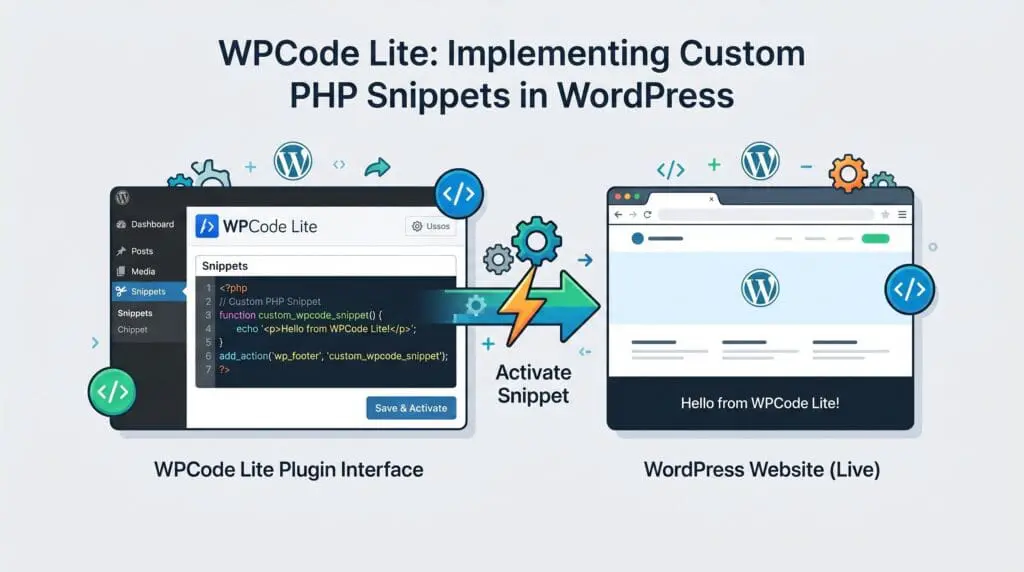
- WPCode Lite: Whenever possible, implementing a custom PHP snippet is vastly superior to installing a single-purpose plugin. This tool allows us to inject necessary functions safely, keeping the codebase incredibly lean. It acts as a centralized hub for custom logic, preventing the need to install dozens of micro-plugins that would otherwise clutter the database and slow down the backend.
- No Category Base (WPML): This is a highly specific structural tip. It removes the unnecessary “/category/” slug from permalinks, creating a cleaner URL architecture. However, implementing this on an already live site requires extreme caution. The plugin automatically applies 301 redirects to your new URLs, but these redirects are completely hidden and do not appear in any dashboard. You must map out your exact routing beforehand to avoid invisible 404 errors and structural chaos. Despite the danger, when planned and executed correctly, it results in a beautifully optimized permalink structure.
5. Lightweight Utilities and The Page Builder Compromise
Finally, we must address the functional elements of the site, including forms and visual design. This is where business needs often clash with performance goals, requiring careful compromises and strict asset management.

- Contact Form 7: Forms are essential, but many modern form builders like Forminator or Gravity Forms introduce massive global scripts. CF7 is exceptionally lightweight. If your business relies on complex, multi-step conditional forms, you may need a heavier plugin. If you take that route, you must rigorously optimize its asset loading to prevent site-wide bloat, ensuring its scripts only execute on the specific contact pages.
- Regenerate Thumbnails: This is a simple, zero-bloat utility. It is strictly necessary for resizing images when altering theme dimensions, ensuring the server always delivers the exact image size required by the browser to prevent layout shifts.
- Elementor: Yes, this site uses a visual builder, but strictly on the homepage. It is an excellent plugin that offers immense value for both design and performance when configured correctly. Because it naturally injects a significant amount of styles and scripts, it requires dedicated time to optimize properly. By enabling all of its experimental performance features and relying on our server and edge layers to handle the heavy lifting, we successfully restrict its footprint. The effort required to fine-tune this tool is absolutely worth it, allowing us to maintain a perfect score without sacrificing visual quality.
The GEO Blueprint: Engineering a 100% AI-Agent Ready Architecture
Optimizing for human browsers is no longer enough. The future of search is driven by Large Language Models (LLMs) and autonomous AI agents. If your architecture only speaks HTML, you are practically invisible to the next generation of search engines. Generative Engine Optimization (GEO) requires building a site that is entirely machine-readable.

Below is the exact blueprint I used to achieve a flawless 100% score on isitagentready.com, transforming a standard WordPress installation into a fully interactive node for AI assistants.
1. Discoverability and Bot Access Control
Before an AI agent can understand your content, it must be explicitly invited and guided through your architecture. Traditional SEO rules are insufficient here.
- robots.txt and AI Bot Rules: This is the first file any agent checks. Instead of just blocking bad bots, you must explicitly allow AI crawlers like GPTBot, ChatGPT-User, and PerplexityBot. This guarantees your content is ingested for LLM training and real-time citations.
- Content Signals: This is a modern directive added directly into the robots.txt file. It declares your AI content usage preferences, legally and technically instructing agents on how they are permitted to use your data.
- Sitemaps and Link Headers: While standard XML sitemaps are required, AI agents prefer direct API access. By injecting specific HTTP Link headers (RFC 8288) into the server response, we instantly point agents to the WordPress JSON REST API, allowing them to bypass the visual front end entirely.
2. Content Delivery for Machines
AI models consume massive amounts of computing power parsing through nested HTML tags, CSS classes, and JavaScript blocks. We must serve them data in their preferred format.
- Markdown Negotiation: This is a highly advanced server configuration. When an AI agent requests a page, it sends an Accept: text/markdown header. Our architecture detects this signal and dynamically strips away the entire WordPress theme, returning the content in pure, lightweight Markdown. This drastically reduces token consumption and ensures the LLM processes the information instantly and accurately.
3. API, Auth, and Skill Discovery
Advanced AI agents do not just read content; they interact with systems. To allow this, your site must expose its capabilities using standardized discovery protocols.
- API Catalog: By creating a specific /.well-known/api-catalog file at the root of the server, we publish a standardized JSON list of all available APIs. This tells the agent exactly where to find our data endpoints.
- OAuth and OIDC Discovery: If your site has protected resources, agents need to know how to authenticate. Publishing OpenID Connect metadata and OAuth protected resource files in the .well-known directory provides the exact cryptographic instructions required for secure machine-to-machine handshakes.
4. The Model Context Protocol (MCP)
This is the absolute bleeding edge of GEO. The Model Context Protocol allows your website to act as a functional tool for AI assistants like Claude or custom GPTs.
- MCP Server Card: We publish a server-card.json file following the SEP-2127 format. This acts as a digital ID card, introducing our server to the AI ecosystem and defining its core parameters.
- Agent Skills Index: Located at /.well-known/agent-skills/index.json, this file lists the exact capabilities our site offers to the AI. In my architecture, I expose 11 specific skills, allowing agents to query data, search archives, or interact with the platform programmatically.
- WebMCP: This final layer exposes our site tools directly to AI agents via the browser using imperative APIs. It bridges the gap between web navigation and machine learning, ensuring the site is not just a static document, but an active participant in AI-driven workflows.
Beyond the Score: Engineering the Future of Search
Achieving a perfect PageSpeed score and full AI-agent readiness is not a matter of luck, nor is it achieved by simply throwing money at premium plugins. It is the direct result of deliberate, ruthless architectural decisions. From the high-frequency server foundation to the edge computing layer and the granular manipulation of every single asset, every millisecond must be engineered.
The algorithms and AI engines will only become more demanding. Websites that rely on bloated legacy themes and automated caching tools will simply disappear from the generative search landscape. The blueprint detailed in this guide is the exact technical standard required to dominate both human and machine-driven search in the coming decade.
If your business relies on organic visibility and you are tired of losing traffic due to poor infrastructure, it is time to stop guessing. You can implement this architecture using the roadmap above, or you can have it engineered directly by an expert. Reach out to me to audit your current stack, eliminate your technical debt, and build a zero-latency, AI-ready platform that actually delivers results.
Frequently Asked Questions
Why is a perfect mobile score harder than desktop?
Mobile tests simulate slower cellular networks and throttled CPUs, meaning any unoptimized JavaScript or server delay is heavily magnified compared to desktop environments.
Can I replicate this architecture on shared hosting?
No. Shared environments lack dedicated resources and high-frequency CPUs, making it impossible to achieve the raw processing speed required for a zero-latency foundation.
Is Cloudflare Pro strictly necessary?
While the free tier offers basic caching, the Pro version unlocks advanced image optimization via Polish, Super Bot Fight Mode, and granular cache rules essential for this enterprise setup.
How does Cloudflare APO eliminate server bottlenecks?
It caches the dynamic HTML of your WordPress site directly at the edge nodes, bypassing PHP execution and database queries entirely for anonymous visitors.
Why disable the local Web Application Firewall (WAF)?
Running a local WAF alongside Cloudflare’s edge WAF creates redundant processing, massive CPU spikes, and latency issues. Security must be delegated to the edge.
Why avoid automatic asset optimization?
Automatic algorithms are conservative to prevent layout breaks, meaning they often leave critical render-blocking scripts untouched. Manual routing is required for extreme performance.
Why use Cloudflare Polish instead of a standard image CDN?
Handing optimized WebP files directly to Cloudflare Polish keeps all asset delivery under a single global edge network, eliminating the extra DNS lookups required by third-party CDNs.
How do local fonts prevent layout shifts?
By hosting Google Fonts locally and preloading them via OMGF Pro, the browser renders the text instantly without waiting for third-party network requests, keeping your CLS at zero.
What makes a WordPress site AI-Agent Ready?
It means the architecture is engineered to be machine-readable, utilizing specific robots.txt directives, API catalogs, and OpenID discovery to allow LLMs to ingest data efficiently.
Why serve Markdown to AI agents instead of HTML?
AI models consume excessive computing power parsing nested HTML tags. Delivering pure Markdown via content negotiation drastically reduces token usage and speeds up machine processing.